Arena booking software
Every arena on its own clock.
Give the indoor school, the outdoor arena and the jumping field their own slot lengths, prices, hours and rules. Riders book what is actually free.
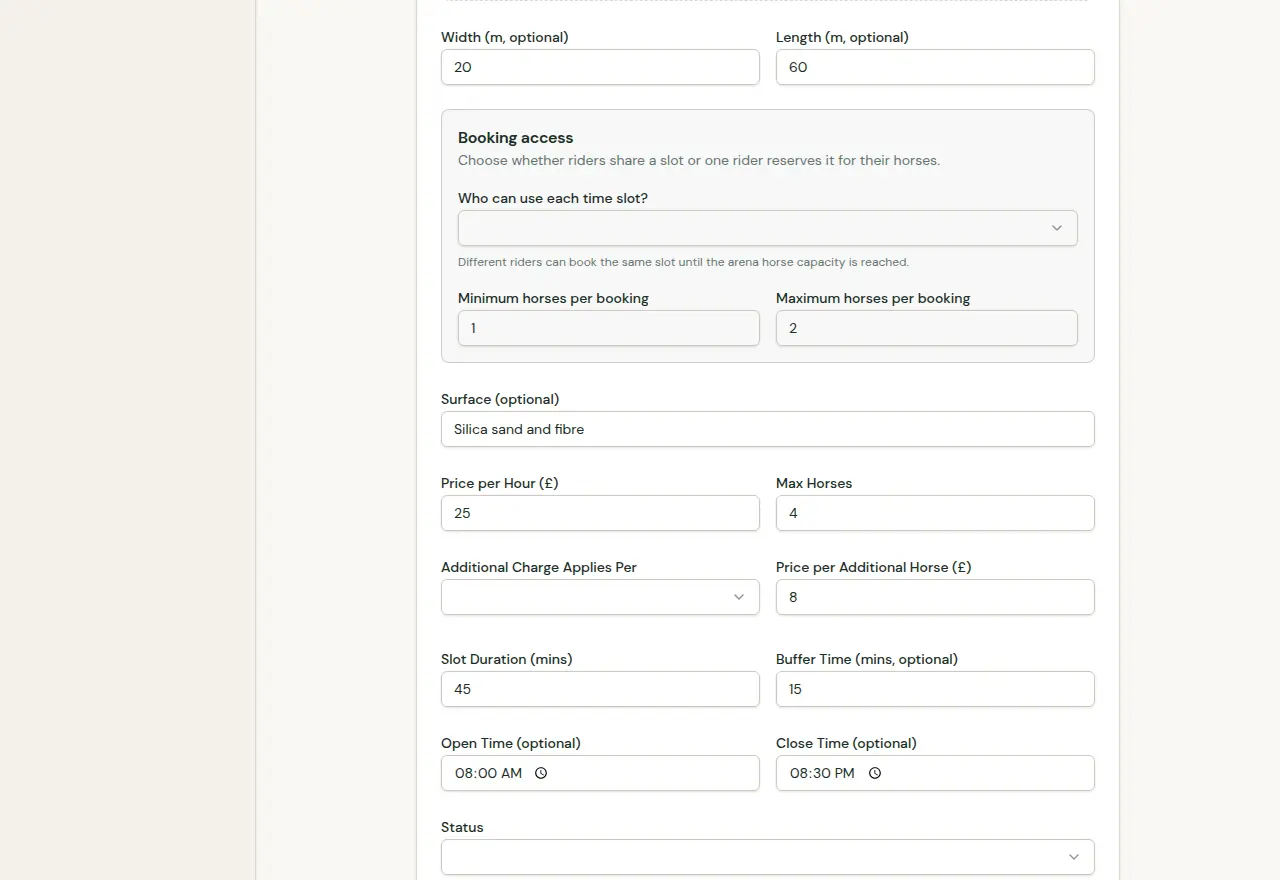
Four settings that decide what riders can book.
- Slot length
- From 15 minutes
- Set each arena’s session length on its own, so a 45 minute hire in the outdoor school can sit beside hour-long slots indoors.
- Buffer and hours
- Per arena
- Add a buffer between riders for harrowing or changeovers, and give each arena its own open and close times.
- Shared or exclusive
- Your choice
- Shared slots let different riders book until the arena’s horse capacity is reached. Exclusive slots give one rider the whole session.
- Dated closures
- Shown to riders
- Close an arena between two dates with a reason. Riders see the notice and can still book outside the closure.
Walkthrough
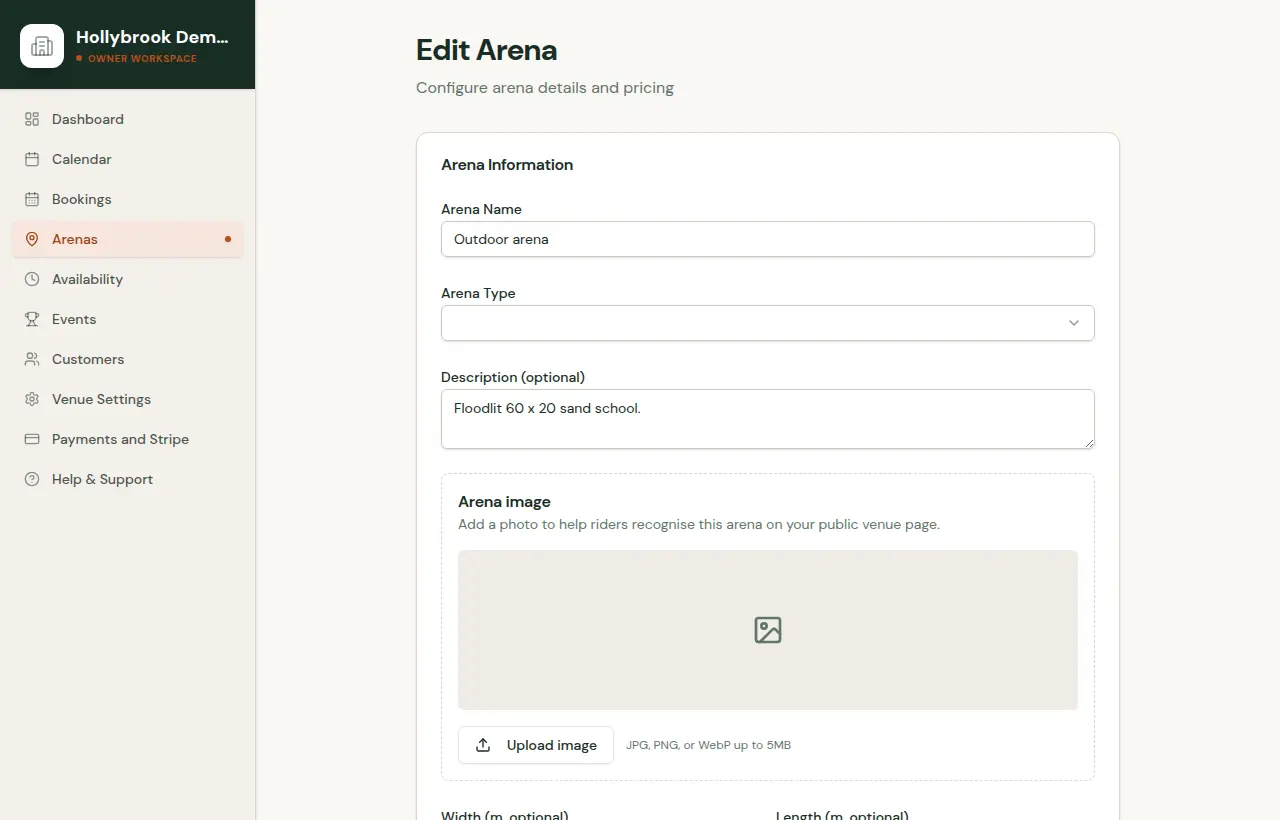
From arena settings to the page riders see.
A short demonstration in three steps. Select a step, or use the arrow keys.
Step 1 of 3: Describe the arena
Phone bookings too
Regulars who ring still go in the same calendar.
Add manual bookings from the dashboard and record cash or card yourself. Block time for lessons or maintenance so it never shows as free.
Also on ArenaBook
Clinic booking softwareClinic sessions, rider requests, group capacity, entries and payment status in one list.Cross-country booking softwareSchooling availability, rider and horse details, and your booking terms before checkout.Gift voucher softwareSell arena hire as a gift, with a venue-branded PDF and a code redeemed against one booking.