Equestrian clinic booking software
Fill the clinic. Then sort the groups.
Take requests first, place riders into timed groups with capacity limits, and see who has paid before anyone is confirmed.
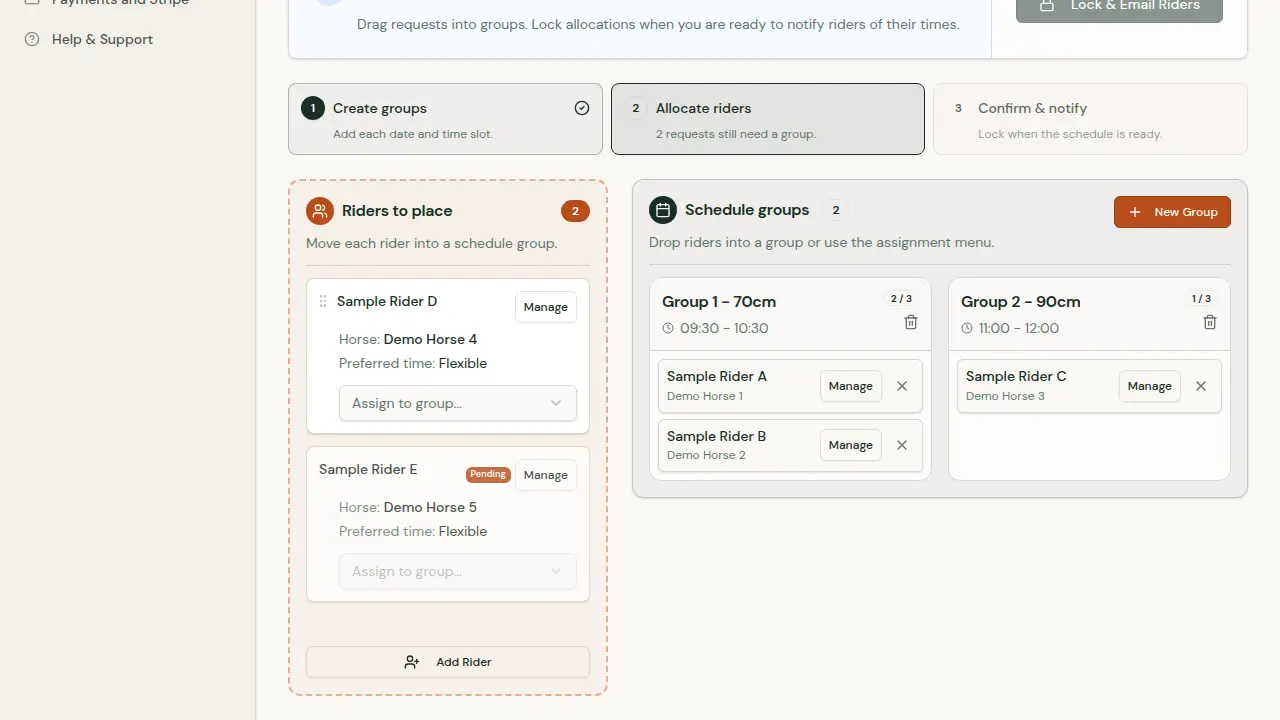
Request-based clinics
Requests, groups, confirmation. In that order.
- 1
Requests arrive
Riders ask for a place and give a preferred time. Each horse lands in Riders to place.
- 2
You build the groups
Create timed groups with an optional capacity, then drag riders in or use the assignment menu.
- 3
Lock and email
When every request has a group, lock allocations. Riders are emailed their confirmed time.
Walkthrough
One clinic, from publication to placed riders.
A short demonstration in three steps. Select a step, or use the arrow keys.
Step 1 of 3: Publish the session
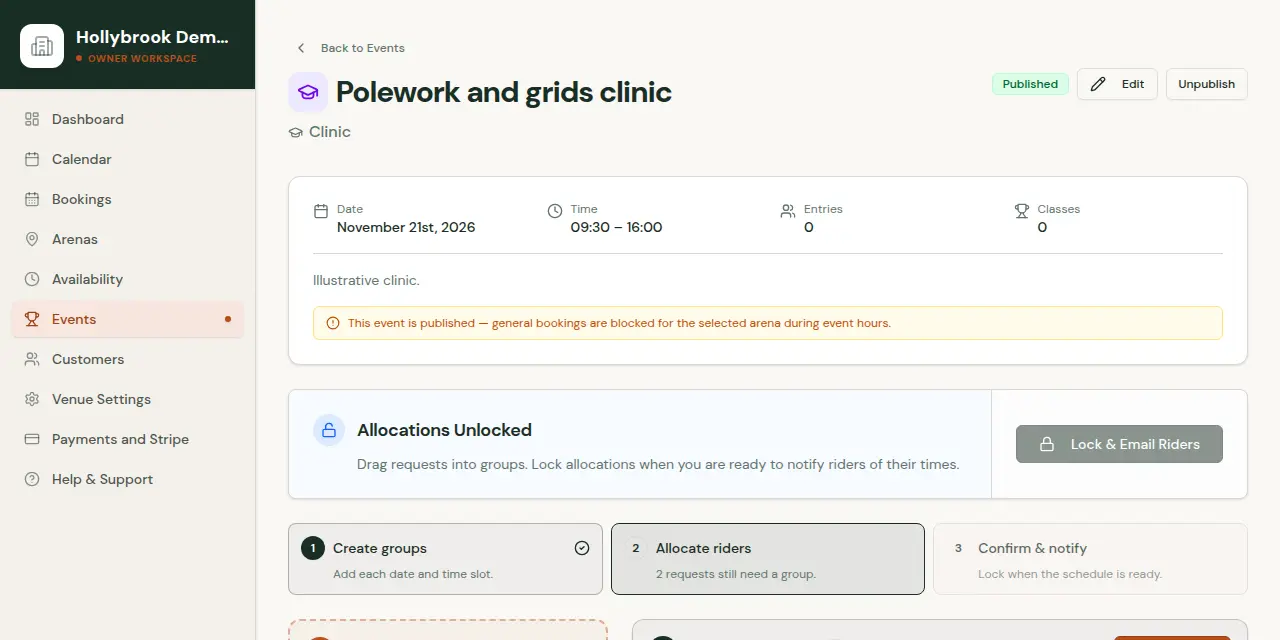
Entries and payments in the same list.
Riders pay online through your connected Stripe account. Add entries for riders who phone or pay on the day, and withdraw or restore entries without losing the record.
Running classes instead of groups? Set fees, rider and horse limits and a waiting list for each class.